As apart of the shoot and also when we took photos for the print production in a photography studio, a series of technologies aided our production then also:


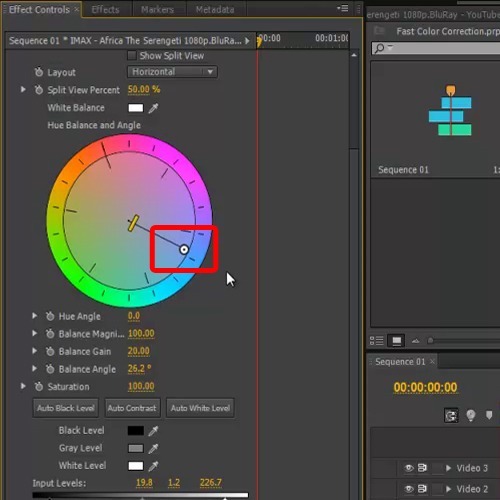
The post-production was one of the more significant and integral parts in creating the overall product, hence the after effects I need to apply were very important. To edit the video I used 'Premier Pro', an editing tool which allowed me to cut clips together, alter colour (saturation, contrast) as well as flip clips horizontally and vertically in order to form a more diverse edit. There are several utilities that aided me most within the 'Premier Pro' process, one being an appliance called 'ghosting', which essentially enabled me to blur the shots between real-time and dream-time to suggest to the audience the recognition between the two sequences were becoming merged.
 I used a grey scale filter to represent reality in contrast with the high saturation applied to the dream sequences; in making these moments brighter the footage is thematically demonstrating positivity and happiness through exaggerated colour.


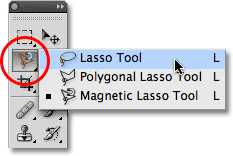
 In Adobe Photoshop for my print productions I used a 'poster edge' filter in order to posterise each of the panels- branding them with a more retro appearance. Influenced by the bright colours used my iconic artists such as Madonna and Bowie I also made the saturation higher and contrast lower to develop a more 'pop art' kind of image. Similar to the ghosting effect I used in Premier Pro, for my inside two panels I used the blur tool to blend an image of the sea into an image of the ocean to again connote the concept of reality and dream time becoming one. The back panel was definitely the most challenging to create, I tested out several methods of applying double exposure before I was left with a professional looking final production. As you can see, my first attempt at combining two images looked incredibly messy as I considered the possibility of sampling each of the dream locations within the video, however I decided this over crowded the image. Finally I overlapped the layers of an image taken at Cromer beach (a primary location within the video) and the silhouette of the protagonist and lessened the opacity of the silhouette then used the eraser tool to leave the background around the outline white. Inserting text was straightforward, and I tried a few different fonts from Photoshop before settling on 'American Modern'- a font that reminded me of an art-deco kind of appearance. Putting the stars on the magazine advert was relatively easy also, as I merely took a opaque image of stars off of the internet and able to easily move them between the layers without having to individually cut them out using the lasso tool.
Inevitably along the way, problems with technology occurred- most frustratingly several SD cards corrupted after large amounts of footage had been recorded hence leading us to having to re-shoot the entirety of the forest sequence.


Excellent Lauren, a confident response and as in all your other answers your expression is sophisticated and indicates an excellent understanding of media terminology. Your evaluation has been a pleasure to assess.
ReplyDeleteLevel 4 A+